We Use CookiesWe use cookies to enhance the security, performance, functionality and for analytical and promotional activities. By continuing to browse this site you are agreeing to our privacy policy

10 Best Document Feed Scanners 2026 in the United States
How do we rank products for you?

Our technology thoroughly searches through the online shopping world, reviewing hundreds of sites. We then process and analyze this information, updating in real-time to bring you the latest top-rated products. This way, you always get the best and most current options available.

headphones-stars

Our Top Picks

#1

Winner

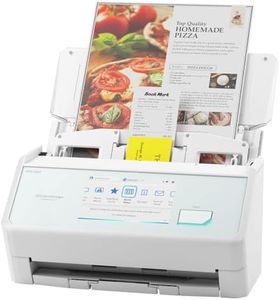
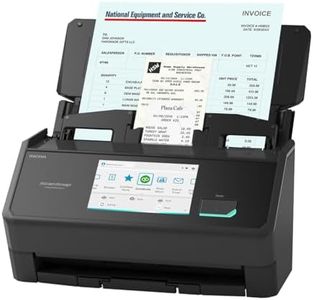
ScanSnap iX2500 Wireless or USB High-Speed Cloud Enabled Document, Photo & Receipt Scanner with Large 5" Touchscreen and 100 Page Auto Document Feeder for Mac or PC, White

Rating
10.0
Chosen by1,140
Scanning Speed
Software Compatibility
Size and Portability

Most important from
115 reviews

Scanning Speed
Delivers fast, reliable scanning that handles large batches effortlessly, making paperless office work truly achievable.
Software Compatibility
The scanner integrates seamlessly with Mac systems and is straightforward enough for users of all ages to operate with ease.
Size and Portability
Compact design fits well on a desk without taking up much space, combining performance with convenience.

The ScanSnap iX2500 is a solid choice for a reliable document-feed scanner suitable for home or office use. It offers fast scanning at 45 pages per minute with double-sided (duplex) capability, making it efficient for handling multiple documents quickly. Its 100-sheet automatic document feeder (ADF) allows scanning large batches without constant supervision. The 600 dpi resolution ensures clear, detailed scans that work well for documents, photos, and receipts.

Connectivity options are flexible, with Wi-Fi 6 support enabling wireless scanning directly to computers, mobile devices, or cloud services, while USB-C provides a stable wired connection. This makes it convenient to scan from different devices or save directly online. The large 5-inch touchscreen simplifies operation, featuring customizable profiles to speed up frequent tasks. Software compatibility is broad, supporting Windows, macOS, iOS, Android, and ChromeOS, fitting well in many setups.

The scanner is compact and weighs about 7.7 pounds, making it easy to place on a desk without taking up much space, though it is not designed for portability on the go. A thoughtful paper handling system helps prevent jams and damaged documents, which benefits busy users. While the resolution is suitable for everyday use, it might not satisfy professionals needing ultra-high-resolution scans, and the price may be higher than basic models. Additionally, some users might find initial wireless setup challenging if unfamiliar with network devices. The iX2500 effectively balances speed, quality, and ease of use, offering a dependable solution for digitizing various document types efficiently.

Rating
10.0
Chosen by1,140
Scanning Speed
Software Compatibility
Size and Portability

Most important from
115 reviews

Scanning Speed
Delivers fast, reliable scanning that handles large batches effortlessly, making paperless office work truly achievable.
Software Compatibility
The scanner integrates seamlessly with Mac systems and is straightforward enough for users of all ages to operate with ease.
Size and Portability
Compact design fits well on a desk without taking up much space, combining performance with convenience.
#2

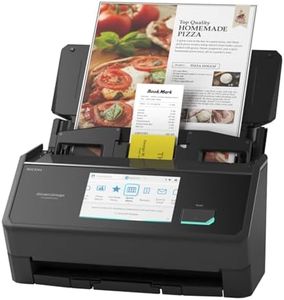
ScanSnap iX2500 Wireless or USB High-Speed Cloud Enabled Document, Photo & Receipt Scanner with Large 5" Touchscreen and 100 Page Auto Document Feeder for Mac or PC, Black

Rating
9.7
Scanning Speed
Resolution
Duplex Scanning

Most important from
262 reviews

Scanning Speed
The scanner offers exceptionally fast scanning with duplex capability, making large batch jobs quick and efficient.
Resolution
High-quality scans of photos and documents are consistently produced, supporting both home and small business needs.
Duplex Scanning
The scanner offers exceptionally fast scanning with duplex capability, making large batch jobs quick and efficient.
Connectivity Options
Setup and connectivity are seamless, with the scanner easily recognized over Wi-Fi without additional configuration.
Software Compatibility
ScanSnap Home software provides a unified, intuitive interface that manages scanning and document organization effortlessly.

The ScanSnap iX2500 is a powerful document-feed scanner designed for home offices, small businesses, and anyone needing fast, reliable scanning of documents, photos, and receipts. It offers a solid scanning speed of 45 pages per minute with duplex scanning, meaning it scans both sides of the page in one go, saving you time. Its 100-sheet automatic document feeder (ADF) allows you to scan large batches without constant supervision, which is great for busy users. The 600 dpi resolution ensures clear detail, suitable for most everyday document and photo scanning needs.

Connectivity options are versatile, including fast and secure Wi-Fi 6 as well as USB-C, allowing easy connection to computers, mobile devices, or cloud services without needing complicated setups. The large 5-inch touchscreen makes it simple to customize scanning profiles and quickly send scans to various destinations, which adds convenience. Its design includes features that help avoid paper jams and damage, such as a brake roller system and multi-feed sensor, reducing interruptions and protecting your documents. The scanner is compact and lightweight enough to fit comfortably on a desk without taking up too much space.

The scanner is somewhat heavier than some portable models, which might limit portability if you need to carry it frequently. While its resolution is good for most tasks, it may not satisfy users requiring ultra-high detail for specialized scanning. The scanner’s software compatibility is excellent with Mac and PC, but full support for newer ARM-based Windows systems is pending a software update expected by late 2025, which may affect future-proofing. The ScanSnap iX2500 delivers fast, efficient document handling with user-friendly features and reliable connectivity, making it an excellent choice for users who scan frequently and want a hassle-free experience. However, if you need ultra-portability or the highest resolution, you might want to consider alternatives.

Rating
9.7
Scanning Speed
Resolution
Duplex Scanning

Most important from
262 reviews

Scanning Speed
The scanner offers exceptionally fast scanning with duplex capability, making large batch jobs quick and efficient.
Resolution
High-quality scans of photos and documents are consistently produced, supporting both home and small business needs.
Duplex Scanning
The scanner offers exceptionally fast scanning with duplex capability, making large batch jobs quick and efficient.
Connectivity Options
Setup and connectivity are seamless, with the scanner easily recognized over Wi-Fi without additional configuration.
Software Compatibility
ScanSnap Home software provides a unified, intuitive interface that manages scanning and document organization effortlessly.
#3

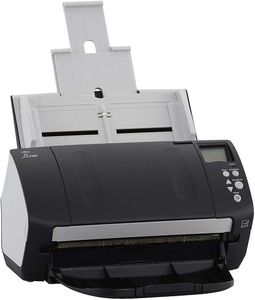
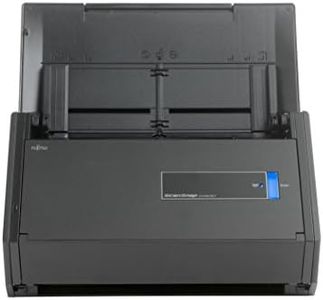
Fujitsu FI-7160 - Document Scanner - Duplex - 8.5 inx14 in - 600 DPIx600 DPI - UP to 60 PPM (Mono)/UP to 60 PPM (Color) - ADF (80 Sheets) - UP to 4000 SCANS PER Day - USB 3.0 (Renewed)

Rating
9.4
Scanning Speed
Resolution
ADF Capacity

Most important from
61 reviews

Scanning Speed
Delivers impressive speed, scanning documents quickly and efficiently.
Resolution
The scanner's sharp resolution captures details clearly, ensuring text and images are well-defined.
ADF Capacity
The 80-sheet automatic feeder and duplex scanning make handling large batches effortless.
Duplex Scanning
The 80-sheet automatic feeder and duplex scanning make handling large batches effortless.
Connectivity Options
Wired USB 3.0 connection ensures fast data transfer but limits wireless flexibility.
Size and Portability
Compact design fits neatly on desks while withstanding heavy daily workloads.

The Fujitsu FI-7160 is a solid choice if you need a fast and dependable document-feed scanner for a busy office. It scans both black-and-white and color documents at up to 60 pages per minute, which helps speed up large scanning jobs. The 80-sheet automatic document feeder (ADF) reduces the need for constant reloading, and duplex scanning means it can quickly scan both sides of a page without extra effort. With a sharp 600 x 600 DPI resolution, scans come out clear, capturing fine details well for documents and text. Its USB 3.0 connection ensures fast data transfer, though it relies on a wired USB connection only, which might limit flexibility compared to wireless options.

The scanner is compact enough to fit comfortably on a desk but is built tough enough to handle up to 4,000 scans a day—ideal for heavy daily use. It supports Windows 7 and later, which suits many users but may not fit all operating system needs. Additionally, it comes renewed with a limited 90-day warranty, which might be a concern if you want longer coverage. While the scanner doesn’t highlight bundled software compatibility, Fujitsu scanners generally work well with common document management applications.

If you want a reliable, high-speed scanner primarily for office paper batches and don’t need wireless features or extended warranty, the FI-7160 offers strong performance and durability in a compact size.

Rating
9.4
Scanning Speed
Resolution
ADF Capacity

Most important from
61 reviews

Scanning Speed
Delivers impressive speed, scanning documents quickly and efficiently.
Resolution
The scanner's sharp resolution captures details clearly, ensuring text and images are well-defined.
ADF Capacity
The 80-sheet automatic feeder and duplex scanning make handling large batches effortless.
Duplex Scanning
The 80-sheet automatic feeder and duplex scanning make handling large batches effortless.
Connectivity Options
Wired USB 3.0 connection ensures fast data transfer but limits wireless flexibility.
Size and Portability
Compact design fits neatly on desks while withstanding heavy daily workloads.

Buying Guide for the Best Document Feed Scanners

When choosing a document-feed scanner, it's important to consider your specific needs and how you plan to use the scanner. Document-feed scanners are designed to handle multiple pages at once, making them ideal for offices or individuals who need to digitize large volumes of documents quickly and efficiently. To find the best fit for you, you'll need to understand the key specifications and how they impact performance and usability.
Scanning SpeedScanning speed is measured in pages per minute (PPM) and indicates how quickly the scanner can process documents. This spec is important because it affects how long it will take to complete your scanning tasks. If you have a high volume of documents to scan regularly, a higher PPM (e.g., 30-60 PPM) will save you time. For occasional use or smaller volumes, a lower PPM (e.g., 10-20 PPM) may be sufficient. Consider your typical workload to determine the right scanning speed for you.
ResolutionResolution is measured in dots per inch (DPI) and determines the clarity and detail of the scanned images. Higher DPI values (e.g., 600 DPI or more) produce clearer and more detailed scans, which is important for documents with small text or intricate graphics. For general document scanning, a resolution of 300 DPI is usually adequate. If you need to scan high-quality images or detailed documents, opt for a higher DPI.
ADF CapacityADF (Automatic Document Feeder) capacity refers to the number of pages the feeder can hold at once. This spec is important for efficiency, as a higher ADF capacity allows you to load more pages and scan them in one go without needing to reload frequently. For heavy-duty scanning tasks, look for an ADF capacity of 50 pages or more. For lighter use, a capacity of 20-30 pages may be sufficient. Consider how many pages you typically scan at a time to choose the right ADF capacity.
Duplex ScanningDuplex scanning means the scanner can scan both sides of a page simultaneously. This feature is important if you frequently scan double-sided documents, as it saves time and ensures both sides are captured accurately. If you often deal with double-sided documents, a scanner with duplex scanning capability is essential. For single-sided documents, this feature may not be necessary, but it can still be a convenient option to have.
Connectivity OptionsConnectivity options determine how the scanner connects to your computer or network. Common options include USB, Wi-Fi, and Ethernet. USB connections are straightforward and reliable for direct connections to a single computer. Wi-Fi and Ethernet options are useful for shared use in an office environment, allowing multiple users to access the scanner. Consider your setup and whether you need the flexibility of wireless or networked connections when choosing a scanner.
Software CompatibilitySoftware compatibility refers to the scanner's ability to work with different operating systems and document management software. This spec is important because it affects how easily you can integrate the scanner into your existing workflow. Ensure the scanner is compatible with your computer's operating system (e.g., Windows, macOS) and any specific software you use for document management. Check for bundled software that can enhance functionality, such as OCR (Optical Character Recognition) for converting scanned documents into editable text.
Size and PortabilitySize and portability refer to the physical dimensions and weight of the scanner. This spec is important if you have limited desk space or need to move the scanner between locations. Compact and lightweight models are ideal for small offices or home use where space is at a premium. Larger, heavier models may offer more features and higher capacities but require more space. Consider where you will use the scanner and how often you need to move it to choose the right size and portability.

FAQ