We Use CookiesWe use cookies to enhance the security, performance, functionality and for analytical and promotional activities. By continuing to browse this site you are agreeing to our privacy policy

10 Best Airprint Printers 2025 in the United States

How do we rank products for you?

Our technology thoroughly searches through the online shopping world, reviewing hundreds of sites. We then process and analyze this information, updating in real-time to bring you the latest top-rated products. This way, you always get the best and most current options available.

headphones-stars

Our Top Picks

#1

Winner

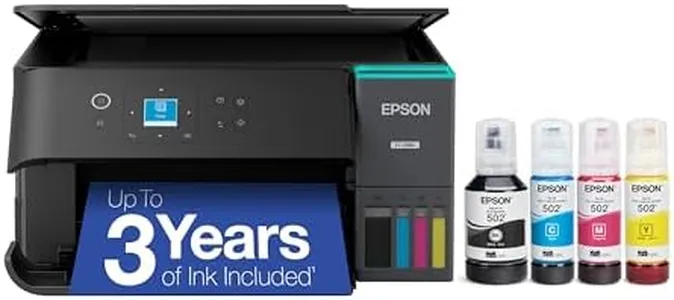
Epson EcoTank ET-2803 Wireless Color All-in-One Cartridge-Free Supertank Printer with Scan, Copy and AirPrint Support

Rating
10.0
Chosen by1,424
Print Quality
Print Speed
Connectivity Options

Most important from
18187 reviews

Print Quality
Prints come out sharp and vibrant, with photo quality that exceeds expectations for an all-in-one home printer.
Print Speed
Printing speed is adequate for home or small office use, balancing performance with quiet operation.
Connectivity Options
Wireless connectivity is generally smooth and stable, enabling hassle-free printing from multiple devices including laptops and mobiles.
Paper Handling
Some users experience intermittent app-to-printer connection issues and occasional error messages about paper settings, which require manual overrides.
Ink or Toner Costs
The refillable ink tank system significantly reduces printing costs, with ink lasting much longer than traditional cartridges and minimizing plastic waste.
Size and Design
The printer is surprisingly lightweight and compact, fitting neatly on a desk without occupying much space.

The Epson EcoTank ET-2803 is a wireless color all-in-one printer that stands out mainly because of its cartridge-free design, using refillable ink tanks that can save money on ink in the long run compared to traditional cartridges. It prints with sharp detail, offering high print resolutions up to 5760 x 1440 dpi for both black-and-white and color, which means your photos and documents will look clear and vibrant. It supports AirPrint, so printing directly from Apple devices is easy without extra setup.

On the speed side, it delivers up to 10 pages per minute for black-and-white and 5 for color, which is modest but suitable for everyday home or small office use. Paper handling is straightforward with a single tray that holds up to 100 sheets and supports various paper sizes, though it lacks automatic duplex printing, so double-sided prints require manual flipping. Connectivity includes USB and Wi-Fi, allowing flexible placement and wireless printing options.

The printer is fairly compact and lightweight, making it easy to fit on a desk without taking up much space. It does not have an automatic document feeder for scanning multiple pages quickly, and the absence of duplex printing might be a downside if you regularly print double-sided documents. This model is ideal for users who want a reliable, cost-effective printer with good print quality and wireless convenience but do not need fast or heavy-duty printing features.

Rating
10.0
Chosen by1,424
Print Quality
Print Speed
Connectivity Options

Most important from
18187 reviews

Print Quality
Prints come out sharp and vibrant, with photo quality that exceeds expectations for an all-in-one home printer.
Print Speed
Printing speed is adequate for home or small office use, balancing performance with quiet operation.
Connectivity Options
Wireless connectivity is generally smooth and stable, enabling hassle-free printing from multiple devices including laptops and mobiles.
Paper Handling
Some users experience intermittent app-to-printer connection issues and occasional error messages about paper settings, which require manual overrides.
Ink or Toner Costs
The refillable ink tank system significantly reduces printing costs, with ink lasting much longer than traditional cartridges and minimizing plastic waste.
Size and Design
The printer is surprisingly lightweight and compact, fitting neatly on a desk without occupying much space.
#2

Brother MFC-L3780CDW Wireless Digital Color All-in-One Printer with Laser Quality Output, Single Pass Duplex Copy & Scan | Includes 2 Month Refresh Subscription Trial, Works with Alexa

Rating
9.7
Print Quality
Print Speed
Connectivity Options

Most important from
606 reviews

Print Quality
Color printing is bright and perfectly acceptable for documents, though not on par with photo printers.
Print Speed
Prints are fast and quiet, a massive improvement over older Canon models that were prone to jamming.
Connectivity Options
Setup is incredibly easy, with AirPrint working instantly.
Paper Handling
Even on larger print jobs, jams are easy to clear, though having the printer on a mobile cart is recommended for easier access.
Duplex Printing
Single-pass duplex scanning is a standout feature, enhancing efficiency.

The Brother MFC-L3780CDW Wireless Digital Color All-in-One Printer is designed for small businesses and home offices, offering a combination of printing, copying, scanning, and faxing functionalities. It delivers high-quality, laser-grade print output and impressive print speeds of up to 31 pages per minute for both black and color prints, making it suitable for environments with moderate to high print volume needs. The inclusion of single-pass duplex copying and scanning further enhances efficiency, saving time on double-sided documents.

Connectivity options are robust, featuring dual-band wireless, Gigabit Ethernet, Wi-Fi Direct, and USB, allowing versatile connection to various devices including smartphones, tablets, and laptops. The printer is also Amazon Dash Replenishment Ready, which can help manage toner supplies efficiently through the Brother Refresh subscription service. This can potentially reduce toner costs by up to 50%. In terms of paper handling, it has a maximum input capacity of 250 sheets and supports various media sizes and types, making it adaptable for different document requirements.

The printer is relatively heavy at 47.8 pounds and has a substantial footprint, which might be a consideration for smaller workspaces. Another point to note is the initial cost of Brother Genuine Toner, which can be on the higher side, though high-yield and super high-yield options are available. In conclusion, the Brother MFC-L3780CDW is a feature-rich, reliable choice for small offices needing a versatile, high-performance printer, provided there is adequate space and budget for toner replacements.

Rating
9.7
Print Quality
Print Speed
Connectivity Options

Most important from
606 reviews

Print Quality
Color printing is bright and perfectly acceptable for documents, though not on par with photo printers.
Print Speed
Prints are fast and quiet, a massive improvement over older Canon models that were prone to jamming.
Connectivity Options
Setup is incredibly easy, with AirPrint working instantly.
Paper Handling
Even on larger print jobs, jams are easy to clear, though having the printer on a mobile cart is recommended for easier access.
Duplex Printing
Single-pass duplex scanning is a standout feature, enhancing efficiency.
#3

Canon MegaTank G3270 All-in-One Wireless Inkjet Printer. for Home Use, Print, Scan and Copy

Rating
8.8
Print Quality
Print Speed
Connectivity Options

Most important from
4815 reviews

Print Quality
Print quality is impressive, especially after adjusting settings, though it requires regular use to prevent the ink from drying out.
Print Speed
While the print speed is not the fastest, it is adequate for everyday use and the quality compensates for the slower pace.
Connectivity Options
The printer is versatile, working seamlessly with both desktop and mobile devices, which is ideal for home office setups.
Duplex Printing
The absence of automatic double-sided printing may be a drawback for those looking to save paper.
Ink or Toner Costs
The inclusion of a substantial amount of ink makes this printer incredibly cost-effective, saving users from the frequent and expensive purchase of cartridges.

The Canon MegaTank All-in-One Wireless Inkjet Printer is designed for home use, offering printing, scanning, and copying functionalities. A standout feature is the inclusion of up to 2 years of ink, which can print up to 6,000 black and white pages or 7,700 color pages, providing significant savings on ink costs. This makes it highly cost-effective for households with moderate to heavy printing needs. It supports wireless connectivity, allowing easy printing from smartphones and PCs, which enhances usability and convenience.

The printer’s print speed is on the slower side, with a maximum of 11 pages per minute for monochrome and 6 pages per minute for color prints, which might be a drawback if speed is a priority. The printer lacks duplex printing, meaning it cannot automatically print on both sides of the paper, which could be a limitation for users wanting to save on paper.

In terms of print quality, the resolution of 4800 x 1200 ensures crisp text and vibrant colors, suitable for standard home and office documents. The LCD display is small at 1.35 inches, potentially making it less intuitive for navigation compared to larger screens. The printer's design is compact, weighing 13.2 pounds, making it easy to fit into most home office spaces. The Canon MegaTank is ideal for users looking for a cost-effective solution with high ink capacity and decent print quality, particularly for those who print frequently but can compromise on speed and duplex functionality.

Rating
8.8
Print Quality
Print Speed
Connectivity Options

Most important from
4815 reviews

Print Quality
Print quality is impressive, especially after adjusting settings, though it requires regular use to prevent the ink from drying out.
Print Speed
While the print speed is not the fastest, it is adequate for everyday use and the quality compensates for the slower pace.
Connectivity Options
The printer is versatile, working seamlessly with both desktop and mobile devices, which is ideal for home office setups.
Duplex Printing
The absence of automatic double-sided printing may be a drawback for those looking to save paper.
Ink or Toner Costs
The inclusion of a substantial amount of ink makes this printer incredibly cost-effective, saving users from the frequent and expensive purchase of cartridges.

Buying Guide for the Best Airprint Printers

When choosing an AirPrint printer, it's important to consider several key specifications to ensure you get a device that meets your needs. AirPrint printers are designed to work seamlessly with Apple devices, allowing you to print wirelessly without the need for additional drivers or software. To make an informed decision, you should understand the various features and specifications that can impact the performance and usability of the printer.
Print QualityPrint quality is measured in dots per inch (DPI) and determines how sharp and detailed the printed output will be. Higher DPI values mean better print quality. For general home use, a printer with 600 DPI is usually sufficient. If you need to print high-quality photos or detailed graphics, look for a printer with at least 1200 DPI. Consider your primary use case: if you mostly print text documents, a lower DPI will suffice, but for photo printing, higher DPI is essential.
Print SpeedPrint speed is measured in pages per minute (PPM) and indicates how quickly a printer can produce documents. Faster print speeds are beneficial if you need to print large volumes of documents regularly. For home use, a printer with a speed of 10-20 PPM is usually adequate. For office environments or heavy printing needs, look for printers with speeds of 20 PPM or higher. Assess your typical printing volume to determine the appropriate print speed for your needs.
Connectivity OptionsWhile AirPrint ensures compatibility with Apple devices, it's also useful to have additional connectivity options like Wi-Fi, Ethernet, and USB. Wi-Fi allows for wireless printing from various devices, Ethernet provides a stable wired connection, and USB can be handy for direct printing from a computer. Consider how you plan to connect to the printer and whether you need the flexibility of multiple connectivity options.
Paper HandlingPaper handling refers to the types and sizes of paper a printer can accommodate, as well as the capacity of its paper trays. If you print a variety of documents, including envelopes, labels, or photo paper, ensure the printer supports these media types. Additionally, a larger paper tray capacity means less frequent refilling. For home use, a 100-150 sheet capacity is usually sufficient, while office environments may require 250 sheets or more. Think about the types of documents you print and how often you want to refill the paper tray.
Duplex PrintingDuplex printing allows a printer to print on both sides of a sheet of paper automatically. This feature can save paper and reduce printing costs. If you frequently print double-sided documents, such as reports or booklets, a printer with automatic duplexing is highly beneficial. For occasional double-sided printing, manual duplexing (where you manually flip the paper) might be sufficient. Consider how often you need double-sided prints to decide if this feature is necessary.
Ink or Toner CostsThe cost of ink or toner can significantly impact the overall cost of owning a printer. Inkjet printers use liquid ink, which can be more expensive per page but is better for high-quality photo printing. Laser printers use toner, which is generally more cost-effective for high-volume printing. Check the cost and yield of replacement cartridges to estimate ongoing expenses. If you print frequently, a laser printer might be more economical in the long run, while an inkjet printer is suitable for occasional use and photo printing.
Size and DesignThe physical size and design of the printer can affect where you place it and how it fits into your workspace. Compact printers are ideal for small spaces, while larger models may offer more features and higher capacities. Consider the available space in your home or office and choose a printer that fits comfortably without being obtrusive. Additionally, look for a design that complements your workspace aesthetics.

FAQ